The caffeinate command in Terminal: the built-in way on macOS — and its limit
macOS ships with a keep-awake. It costs nothing, needs no install, and for a single job it is often the best choice there is.
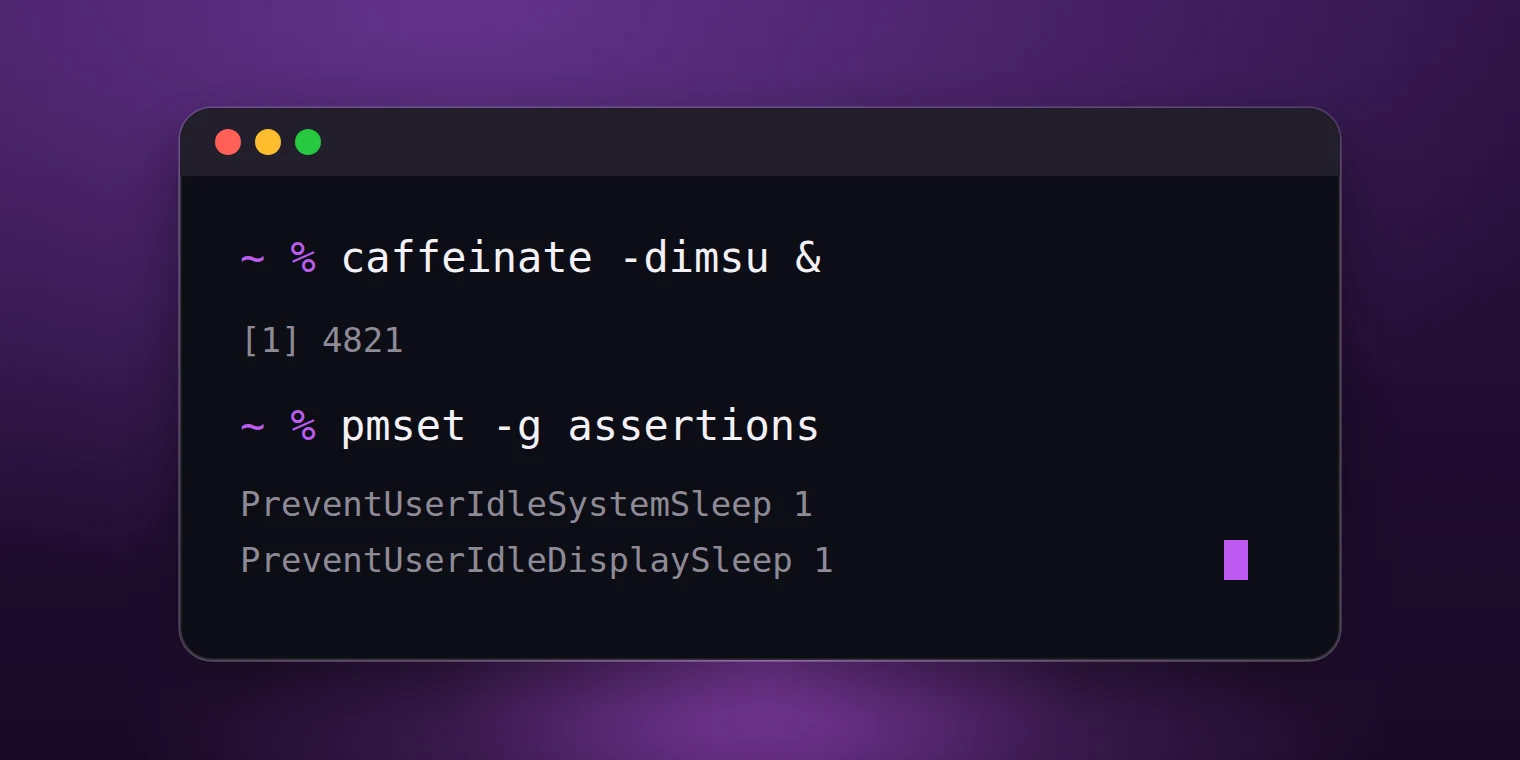
What the command was made for
The last form above is the real idea behind it: the keep-awake hangs off the job. While the job runs the machine stays awake; when it finishes, both end at the same moment. That is cleaner than any app, because nothing is left over to remember.
For a build, a script or a copy job in the terminal there is therefore no reason to install anything. If you work there, you already have the right tool.
The first limit: the window
caffeinate runs as long as its process runs. Close the terminal window and the session is gone — with no notice. Start it in one tab among five and an hour later you will not find it again.
On top of that there is no time remaining to read anywhere. With -t 3600 you know it is an hour; when that hour started, you no longer know.
The second limit: the lid
The command works with assertions. On macOS a closed lid is a different rule, and assertions do not apply there. A closed MacBook therefore goes to sleep despite caffeinate running.
To keep a machine running with the lid closed you need the other switch — the system setting that pmset disablesleep flips. That is precisely the job Toxin's lid mode takes on, through a small helper of its own.
Which fits when
A job that runs in the terminal and has an end: caffeinate, attached to the job. Nothing to install, nothing to forget.
A machine that should stay awake again and again through the day — for calls, presentations, downloads in the browser, a closed lid: for that, an icon in the menu bar is the right shape, with a visible state and a span that ends on its own.
The invocations you actually need
caffeinate -d- keeps the display awake for as long as the command runs.
caffeinate -i- prevents system sleep but lets the display go dark.
caffeinate -t 3600- keeps awake for a number of seconds, then stops by itself.
caffeinate -i make- keeps awake exactly as long as the attached command runs — not a second longer.
Side by side, briefly
- caffeinate is built in, free, and ideally tied to a job.
- It shows no state and no time remaining.
- It does not survive closing the window.
- It does not help with a closed lid — that needs a system setting.
Common questions
Can I use both at once?
Yes. Multiple assertions do not interfere. The machine stays awake while at least one holds, and sleeps when the last one is gone.
Do I need sudo for caffeinate?
No. The command takes out an assertion on behalf of the logged-in user. Only pmset disablesleep reaches into a system setting and wants the matching rights.
The built-in way is good, and it has two clear limits. Toxin is built for the cases beyond them — a menu bar app for macOS, not on the Mac App Store yet.